Virtual tattoo try-on
A tattoo is permanent; trying it on shouldn't be. Virtual try-on puts the design on your own skin in real time so you can check size, angle and placement before the first line.
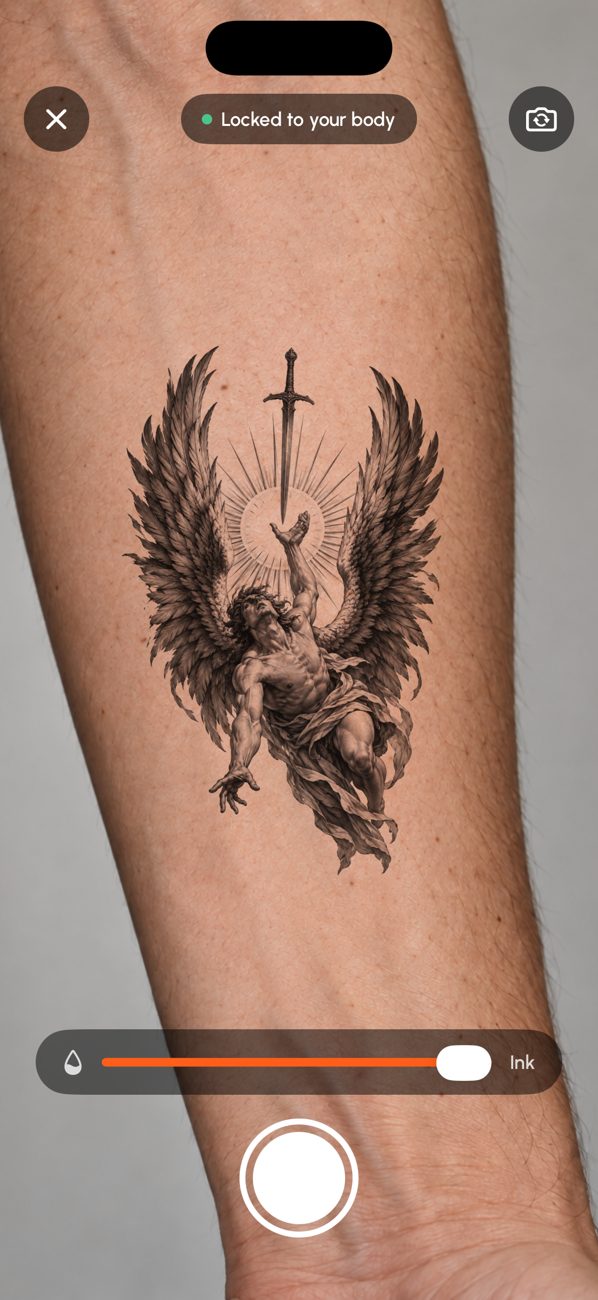
How Try On Live works
Open a design in TattooLab and tap Try On Live. Point the rear camera at your forearm, upper arm, chest, back or leg. The design's paper background disappears and the ink is blended into your skin so its texture shows through. Apple's body-pose detection keeps it anchored to the body part as you move.
Drag, pinch and rotate to adjust, set the ink strength, then take a photo to share with friends or your artist. It runs entirely on your iPhone and doesn't use AI credits.
What to check while trying it on
- Size: can you read every detail from a normal distance?
- Flow: does the design follow the muscle and bone instead of fighting them?
- Visibility: is it where you want it to be seen, or hidden at work?
- Movement: twist your arm; good placements still look right in motion.
Frequently asked questions
Do I need to buy anything to try on tattoos?
No. Try On Live is free and runs on your iPhone.
Which body parts work best?
Forearms, upper arms, calves and the back work best because the camera can see the whole body part. Very small areas like fingers are better checked on a photo.
Is the try-on realistic?
It blends the ink into your skin and follows your movement, but it is a preview: a real tattoo depends on your artist, skin and healing.